Your Review App Just Duplicated Your Shopify Product Schema
Your theme adds Product schema. Your review app adds more. Your SEO app adds a third. Here's how to find and fix duplicate schema before it costs you rich results.
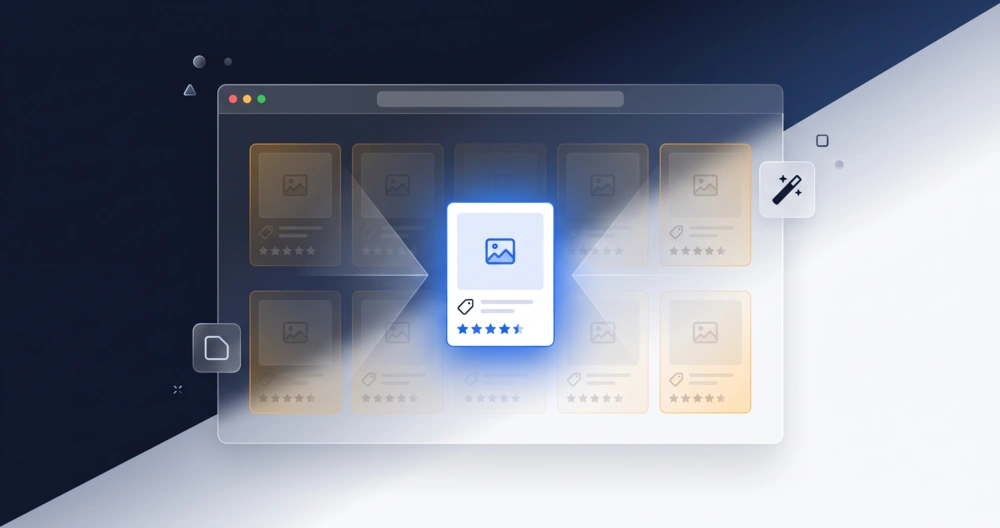
Your theme adds Product schema automatically. Then you install a review app, and it adds AggregateRating data, sometimes bundled with its own full Product block. Then you install an SEO app because you read somewhere that schema matters, and it adds a third Product entity to the same page, not knowing the other two already exist. Nobody did anything wrong individually. Collectively, you now have a page Google can’t parse as a single, unambiguous product.
This is one of the more common technical SEO problems on Shopify precisely because it’s invisible from the storefront. Your product page looks completely normal to a customer. The conflict only shows up where customers never look, in the structured data, in Search Console, in how AI engines try to parse the page.
What Duplicate Schema Actually Means
Duplicate schema isn’t about having schema twice in the literal sense of copy-pasting the same code. It’s about having more than one system on your store independently outputting Product markup for the same page, each unaware the others exist. Three sources are the usual suspects:
Your theme. Modern Online Store 2.0 themes output Product schema directly from a JSON section file. This is the schema you get with zero apps installed.
Your review app. Most review apps inject AggregateRating and Review schema so star ratings can show up in search. Some do this cleanly, adding only what’s missing. Others bundle a complete, separate Product block alongside it.
Your SEO app. Apps built specifically to “add schema markup” often assume your store has none, and inject a full Product entity without checking whether your theme already provides one.
Individually, each of these makes sense. Together, they can leave Google looking at the same URL and finding two or three overlapping descriptions of the same product, sometimes with conflicting prices, review counts, or availability.
How Google Actually Reacts to This
Head to Google Search Console and check the Enhancements section. If this is happening on your store, you’ll typically see a warning that reads something like “Multiple items detected”, Google’s way of saying it found more than one Product entity, or duplicate properties like two separate offers blocks, on a single URL.
This doesn’t automatically tank your rankings. Your page can still rank normally. What it costs you is rich result stability and eligibility, star ratings, price, and availability that either don’t show up at all, or show up inconsistently between crawls because Google can’t confidently pick which data source to trust.
Your Shopify Store Probably Doesn't Have a Crawl Budget Problem
Most Shopify stores worry about crawl budget for no reason. Here's how to tell if you actually have a problem, what causes real crawl waste, and how to fix it.
Finding the Duplicate
Start with Google’s Rich Results Test. Paste in a live product URL and expand the “Detected items” section. If you see more than one Product entity listed, or the same property (like aggregateRating or offers) appearing more than once, that’s your confirmation.
Cross-check with the Schema.org validator, not just Rich Results Test. Rich Results Test focuses on features Google currently supports for rich results. It can miss older Microdata markup (itemtype, itemprop attributes embedded directly in HTML) that some themes still output alongside newer JSON-LD from apps. Two different formats, both technically valid schema, both describing the same product, is still a duplicate in Google’s eyes.
View page source directly. Search for application/ld+json in the page source. If you see more than one <script type="application/ld+json"> block each containing a "@type": "Product" entity, you’ve found your sources. Note which block sits where in the HTML, that often hints at which system (theme vs. app) added it.
Fixing It Without Breaking Your Storefront
Pick one source of truth. Decide whether your theme, your review app, or your SEO app should own the Product schema. In most cases, letting your theme handle the core Product entity and having your review app contribute only the AggregateRating and Review data, without a second full Product block, is the cleanest setup.
Check app settings before touching code. Many review and SEO apps have a setting to disable their own Product schema output while keeping the rest of their functionality intact. This is almost always safer than manually editing theme files.
If a setting doesn’t exist, isolate on a duplicate theme first. Duplicate your live theme (Online Store > Themes > Actions > Duplicate), disable the suspected schema output on the duplicate, and preview it before touching your live store. This lets you confirm the fix works without risking your actual storefront.
Retest after every change. Run the Rich Results Test again after removing a duplicate source. Don’t assume the fix worked, confirm it.
Request re-indexing once confirmed. After the duplicate is resolved, use Search Console’s URL Inspection tool to request re-indexing on affected pages, rather than waiting for Google’s next scheduled crawl.
Why This Matters Beyond Rich Snippets
Duplicate or conflicting schema doesn’t just create instability in traditional search results. AI engines pulling product data for shopping recommendations face the same ambiguity Google does, except with less tolerance for it. An AI system trying to extract a single, trustworthy price or rating from a page with two conflicting Product entities is more likely to skip the page entirely than guess which one is correct. Clean, single-source schema isn’t just about rich result eligibility anymore, it’s about whether AI shopping tools can use your product data at all.
Not sure if your Shopify store has conflicting schema right now? Get a technical SEO review and find out before it costs you rich results or AI visibility.

Marshal Gasong
Digital Marketing Specialist and Web Developer with 8 years of experience in SEO, technical audits, and full-stack development. Helped businesses rank on page 1, shipped SaaS products used by thousands, and driven real revenue through search. Currently available for freelance work and open to full-time opportunities.